Showing posts with label Lexmark. Show all posts

Monday, 9 November 2009

Windows 7

I installed Windows 7 last week. All seems to have gone smoothly (so far). I was advised by the Upgrade Advisor software to uninstall iTunes first, so I did that. After the upgrade completed I reinstalled iTunes. This failed a couple of times until I ran the install executable “as Administrator”.

Windows 7 Home Premium box shot

My graphics card driver needed an upgrade – also identified by the the Upgrade Advisor – so I downloaded and installed the latest one. This said that it was not certified for Windows 7 but it seems to work fine.

My Printer (Lexmark 4650) stopped working too. I downloaded the new drivers but these made no difference. So I uninstalled it, and the full Lexmark suite, rebooted and then re-installed. After I had put in the wireless network key it was running just fine again. I had to connect it via USB as when doing the first install for the software.

Everything else seems to run fine. Sleep mode is quicker both to sleep and to wake again. The wife likes the “themes” used for screen wall paper. We are using the Great Britain set at the moment. It cycles between Tower Bridge, Stonehenge, The cliffs of Dover, Tintagel castle, etc.

Saturday, 28 February 2009

Visitors to my blog


I was curious about where people came from when they found my blog.
It appears that many people are looking for information about central heating systems supplied by British Gas, some are having problems with their Lexmark printer and some people are interested in music.
I will try to be more helpful in future, explaining how to solve printer problems in more detail perhaps - or visitors could contact me or comment perhaps :-)
I've been doing a bit more with Twitter this morning, but I can't get into pushing out comments about what I'm doing all the time, but it is interesting (to a point) looking at other people's comments.
I saw that a company who interviewed me in July (how time flys) for a MIS Director job are now looking for another member of staff: reporting to the guy who got the job. I applied. Looking at the job description that they sent me I found his name in the document properties and looked him up on Linked In. It appears he's a 3rd degree connection of mine. Scott brought me back to earth though by pointing out that he has 1.5 MILLION 3rd degree connections on Linked In.
Another TV marathon last night: "American Idol" eliminations, "Waterloo Road" from earlier in the week and then I watched Sean Connery / Ursula Andress in "Dr. No". They followed "Dr. No" with "Austin Powers: The Spy who Shagged Me" on the Sky Movies Comedy Channel. So there are people with a sense of humour working at Sky Movies. It was "Austin Powers: The Spy Who Shagged Me" that featured the parody of the Ursula Andress bikini scene as Austin arrives at Dr Evil's volcano lair. I didn't stay up to watch it though.

Monday, 19 January 2009

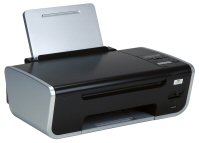
Lexmark 4650 Printer


A few months ago we bought a Lexmark 4650 printer/copier/scanner. It works wirelessly so we can keep it on the other side of the room to the computer, using a different power socket and helping to reduce clutter. I had some problems getting it to work at first but after a few hours of re-installing the software and re-booting I got it working and it has been printing, scanning to network and so on without any problem.
However.... yesterday it stopped working. The printer / scanner / copier was fine in itself but wasn't talking to the PC. The night before last we'd had some power "brown outs", when the power drops but not enough to shut down the TV and PC. So I guess that was when it lost the connection.
It was doing my head in. I sent it a print job and it ignored it. I asked it to scan to a network attached PC and it reported that it was "trying to connect to network". So, as the first IT fix of choice is always to "reboot it". I tried that, it still didn't want to play. So then I re-set the wireless router (BT Home Hub 2) and rebooted the printer again. It was STILL sulking. So then I connected it to the PC via USB 2 and started the wireless configuration utility. It scanned for networks and found my neighbour's WLAN and not mine. I re-set the wireless router again and scanned again. It still failed to find it.
I went through the settings on the router for the Wireless LAN. While doing this I noticed that the router was using channel 11 with an option to re-set to use a different channel. I remembered that last time I looked it was on channel 6. I clicked on "reset" for the channel number and it moved on to channel 1. I then told the Lexmark Wireless Configuration Utility to re-scan for networks. It found my LAN in seconds, I entered the password and as if by magic it started working!
The nightmares I had when I first got the printer were a similar issue that seemed to fix itself. With hindsight, it probably fixed itself when I re-started the router and hence reset the channel. It seems that pressing the reset button doesn't change the channel number used and it looks like the printer cannot "see" the higher channel numbers. I can set the BT Home Hub to use a particular channel if I want, but part of me is thinking I want to find out what the issue REALLY is. Does it limit to single digits perhaps, so does the channel number have to be below 10 perhaps? Maybe it's worse than that - it may have to be 8 or below. I may do some more tests :-)