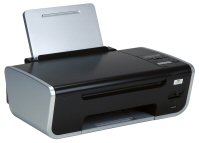
A few months ago we bought a Lexmark 4650 printer/copier/scanner. It works wirelessly so we can keep it on the other side of the room to the computer, using a different power socket and helping to reduce clutter. I had some problems getting it to work at first but after a few hours of re-installing the software and re-booting I got it working and it has been printing, scanning to network and so on without any problem.
However.... yesterday it stopped working. The printer / scanner / copier was fine in itself but wasn't talking to the PC. The night before last we'd had some power "brown outs", when the power drops but not enough to shut down the TV and PC. So I guess that was when it lost the connection.
It was doing my head in. I sent it a print job and it ignored it. I asked it to scan to a network attached PC and it reported that it was "trying to connect to network". So, as the first IT fix of choice is always to "reboot it". I tried that, it still didn't want to play. So then I re-set the wireless router (BT Home Hub 2) and rebooted the printer again. It was STILL sulking. So then I connected it to the PC via USB 2 and started the wireless configuration utility. It scanned for networks and found my neighbour's WLAN and not mine. I re-set the wireless router again and scanned again. It still failed to find it.
I went through the settings on the router for the Wireless LAN. While doing this I noticed that the router was using channel 11 with an option to re-set to use a different channel. I remembered that last time I looked it was on channel 6. I clicked on "reset" for the channel number and it moved on to channel 1. I then told the Lexmark Wireless Configuration Utility to re-scan for networks. It found my LAN in seconds, I entered the password and as if by magic it started working!
The nightmares I had when I first got the printer were a similar issue that seemed to fix itself. With hindsight, it probably fixed itself when I re-started the router and hence reset the channel. It seems that pressing the reset button doesn't change the channel number used and it looks like the printer cannot "see" the higher channel numbers. I can set the BT Home Hub to use a particular channel if I want, but part of me is thinking I want to find out what the issue REALLY is. Does it limit to single digits perhaps, so does the channel number have to be below 10 perhaps? Maybe it's worse than that - it may have to be 8 or below. I may do some more tests :-)


 Posts
Posts


